
What Is Twindo Scan to CAD and Do You Actually Need It?
If you’ve spent hours measuring a space by hand, sent someone back to a job site just to verify a single dimension, or started drafting and realized you’re missing the one measurement that matters, Twindo Scan to CAD was built with you in mind.
What is Scan to CAD?
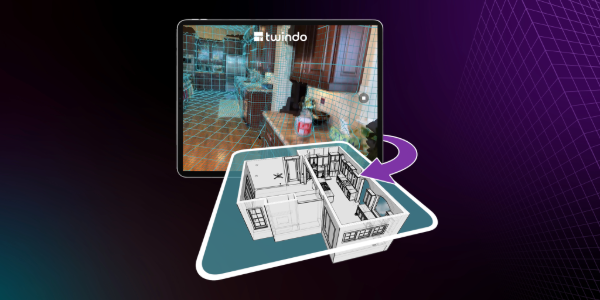
Twindo Scan to CAD starts with a scan. Using a LiDAR-enabled iPhone or iPad (any Pro or Pro Max model from 2020 or newer), you walk through a physical space and capture it in the Twindo app. LiDAR technology measures distance by bouncing laser pulses off surfaces, producing a precise, data-rich 3D record of the space as it actually exists.
That scan data is then processed through the Twindo workflow, which combines AI-driven automation with expert humans in the loop to ensure quality. The AI handles speed and consistency; the human experts catch what machines miss, like ambiguous geometry, scanning gaps, and interpretation calls that require professional judgment.
The result is a CAD/BIM file you can trust and build from on day one.
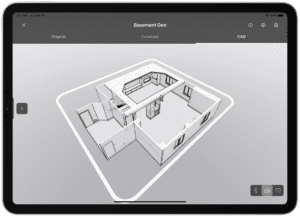
Depending on what you need, your deliverable might be a Revit model, SketchUp file, Chief Architect plan, 2D AutoCAD drawing, or one of several other formats. If you need verified measurements, the Measurement Report gives you room dimensions, ceiling heights, and key object data in PDF and spreadsheet form. See a full list of supported file formats and software.
Scan to CAD is the fastest path to a designable as-built from Twindo when you have access to the space. You can also choose Plan to CAD (for converting existing 2D plans) and Point Cloud to BIM (for teams already working with point cloud data).
Do You Actually Need Scan to CAD?
Scan to CAD makes the most sense when:
- You work in CAD or BIM software such as Revit, SketchUp, Chief Architect, Archicad, Vectorworks, 2020 Design, or AutoCAD
- Measuring and modeling existing spaces takes up valuable project time
- You’re spending more than you’d like on as-built documentation, whether that’s your own hours or your team’s
- Your work regularly takes you into physical spaces for renovations, remodels, or other building needs
- As-builts are a standard part of your project workflow
- Your projects require real accuracy
- You’re not doing precision fabrication work requiring sub-millimeter tolerances
Who Uses Scan to CAD?
Scan to CAD is built for professionals who work in physical spaces and need accurate digital files to do their jobs.
- Architects who need reliable existing-conditions documentation before design work can begin
- Interior designers who need to capture spaces, including unique layouts and odd angles
- General contractors and design-build firms who need accurate pre-construction documentation for permits and design work
- QSR teams managing remodels, equipment replacements, brand standards, or new location buildouts across dozens or hundreds of sites
- Multi-site retailers standardizing space documentation across a portfolio to support fixture planning, remodels, and rollouts
- Hospitality teams documenting guest rooms, amenity spaces, and common areas for renovation planning and capital project management
- Multifamily owners and operators who need standardized unit and building documentation across a portfolio to support turnover, renovation planning, due diligence, and capital budgeting
- Fire safety professionals who need accurate as-built documentation of existing conditions for compliance, inspection, and planning work
The Bottom Line
If accurate existing-conditions documentation is a regular part of your work — and you want it faster, cheaper, and with less time on site — Twindo Scan to CAD is a workflow upgrade that pays for itself in time, cost, and fewer trips back to the job site.