
The Short Answer
Absolutely! Twindo can convert your 3D scans into editable, design-ready, and professional-grade CAD files that can either be processed individually or merged into a single, global CAD model of the entire space.
You can learn how big of a space you can scan at one time here: How big of a space can I scan?
Tips for scanning a whole house with Twindo:
- Plan your scan
- Scan connecting areas
- Scan the small nooks and crannies
- Very large rooms/spaces may need multiple scans
You will be asked if you would like to merge additional scans during checkout
The Long Answer
It is very common that our customers are not just scanning a single room or rooms, but a whole home and as such, they want one CAD file of all the rooms. We can merge your scans into a single, global file.
When you are placing an order, you will be asked if you want to merge your scans. Selecting "yes" means you will receive a single, global CAD file. Otherwise, each scan will be processed individually. Merging is no additional cost and you will receive something like what you see below:
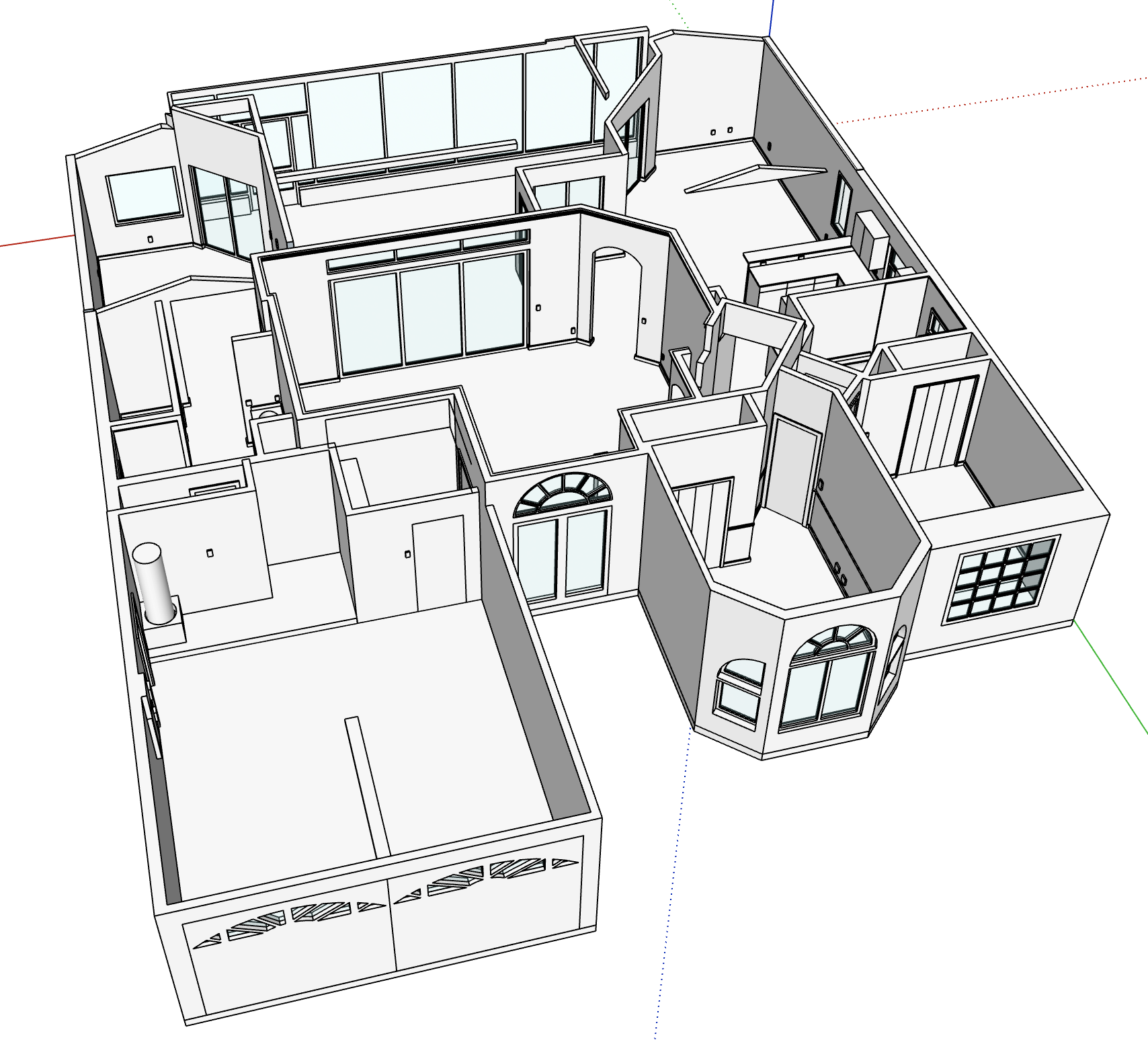
This model took approximately 8 scans, and was captured in roughly 20 minutes. However, depending on the space being captured, you may be able to capture it in fewer scans, or even a single scan. You can learn more about the trade-offs here: How big of a space can I scan?
Scanning a whole home
We recommend starting with our scanning overview and tutorial.
- Plan your scan: Do a walkthrough of the home to open the doors between rooms, make sure the lights are on, and turn off ceiling fans (as the fans can distort light). This will ensure the best results and likelihood of a successful merge. Do not open or close doors, turn on/off lights, open window treatments, etc. during scanning as this can negatively affect the scan quality.
- Scan connecting areas: Make sure to scan through connecting areas like doorways to create a common point of reference. For example, when you scan the bedroom, scan a little bit into the hallway (and the other way around) so that it's clear how they connect. Just a few seconds of scanning the adjacent room is fine.
- Scan all intermediate areas: Make sure to cover all the intermediate areas between rooms that connect your scans. Sometimes first-time users forget to scan a hallway or entryway, and then you'll end up with two models of separate wings of the house instead of one.
- Scan small nooks and crannies: This is not strictly necessary, but it's generally a better, more complete model if you scan everything for a whole home model. Capture closets, hallways, and pantries, etc. because closet depth can have an impact on how multiple rooms fit together. It's not always vital, but in some houses, it can make a difference.
- Very large spaces: If you are scanning a really large, open space that is too big to fit in one scan, don't be afraid to break it into multiple scans. Make sure your start and end points between scans overlap so we have the connecting reference points to merge them together.
You can see more homes we have scanned here.
How do I place an order for a home?
When you place an order you have the option to select "merge my scans". There's no added cost and selecting this option means we will provide a single global CAD model.
Specific, step-by-step ordering instructions available here: Placing an order
Can I merge interiors with exteriors?
Yes! These models look great. Please be aware of these considerations regarding exteriors.